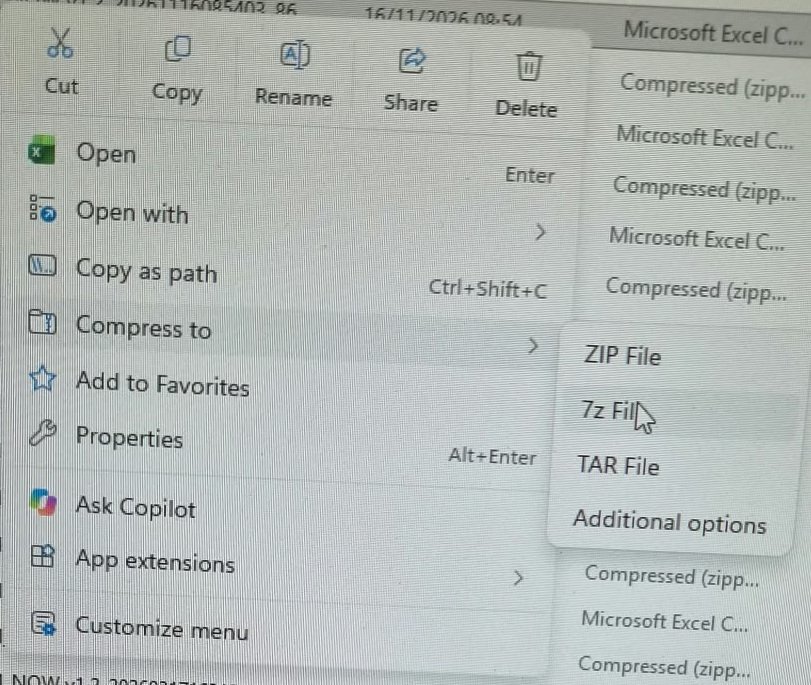
7-zip has always been the easiest way to quickly compress a file and put a password on it because the Windows built in compressor doesn't support passwords. The Windows 11 right click context menu moved everything around and hid legacy options in a sub menu, but luckily there was a fix for that by adding one registry key.
Well now they decided to do it again in the October 2026 update, and made it even worse. You do have the option to see "app extensions" and "customize menu" but none of those allow you to fix the problem or choose what apps you want to show on the main context menu, the best you can do it add a "show more options..." option to the context menu to add extra clicks just to see the normal context menu again.
Luckily there is still a fix
It just needs 2 registry keys now instead of one, to be added as the current user:
reg add "HKCU\Software\Classes\CLSID\{86ca1aa0-34aa-4e8b-a509-50c905bae2a2}\InprocServer32" /ve /f
reg add "HKCU\Software\Classes\CLSID\{51668040-5e31-4023-bbe3-149163bd80f1}\InprocServer32" /ve /f
You will need to restart explorer for the changes to take effect.
You would have thought the "App extensions" option would at least show things like 7-zip, but it doesn't.